


Your screenshots, finally sorted — and fact-checked.
For anyone whose camera roll is full of screenshots they never look at again
Save a screenshot or a link. mirubean works out what it is, looks it up with sources, files it in the right folder — and answers questions about everything you saved.
Wireless noise-cancelling headphones, about 30 hours of battery.
Camera rolls fill up with screenshots of products, places, posts and ideas that are never looked at again. Saving is easy; making sense of what you saved is not.
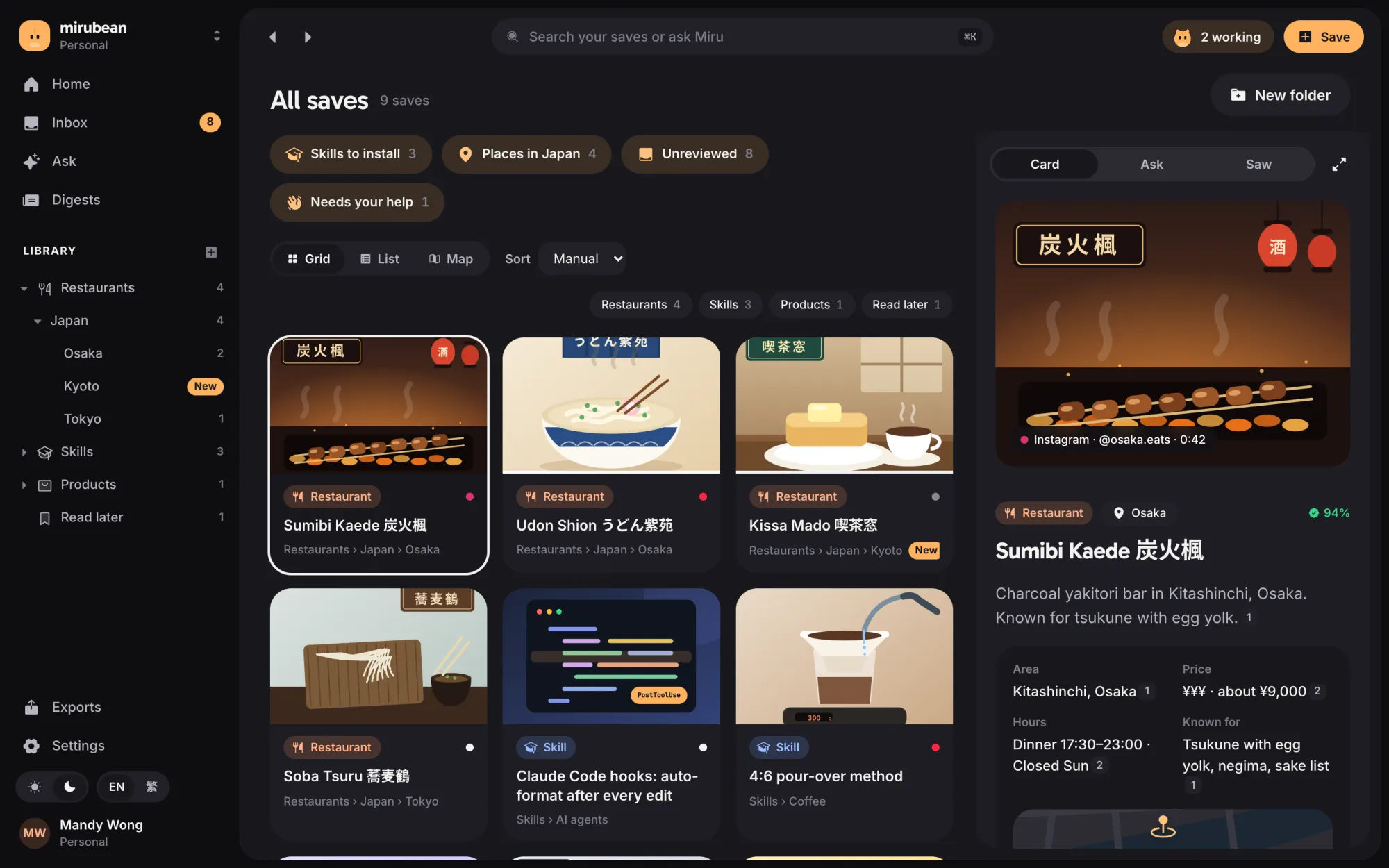
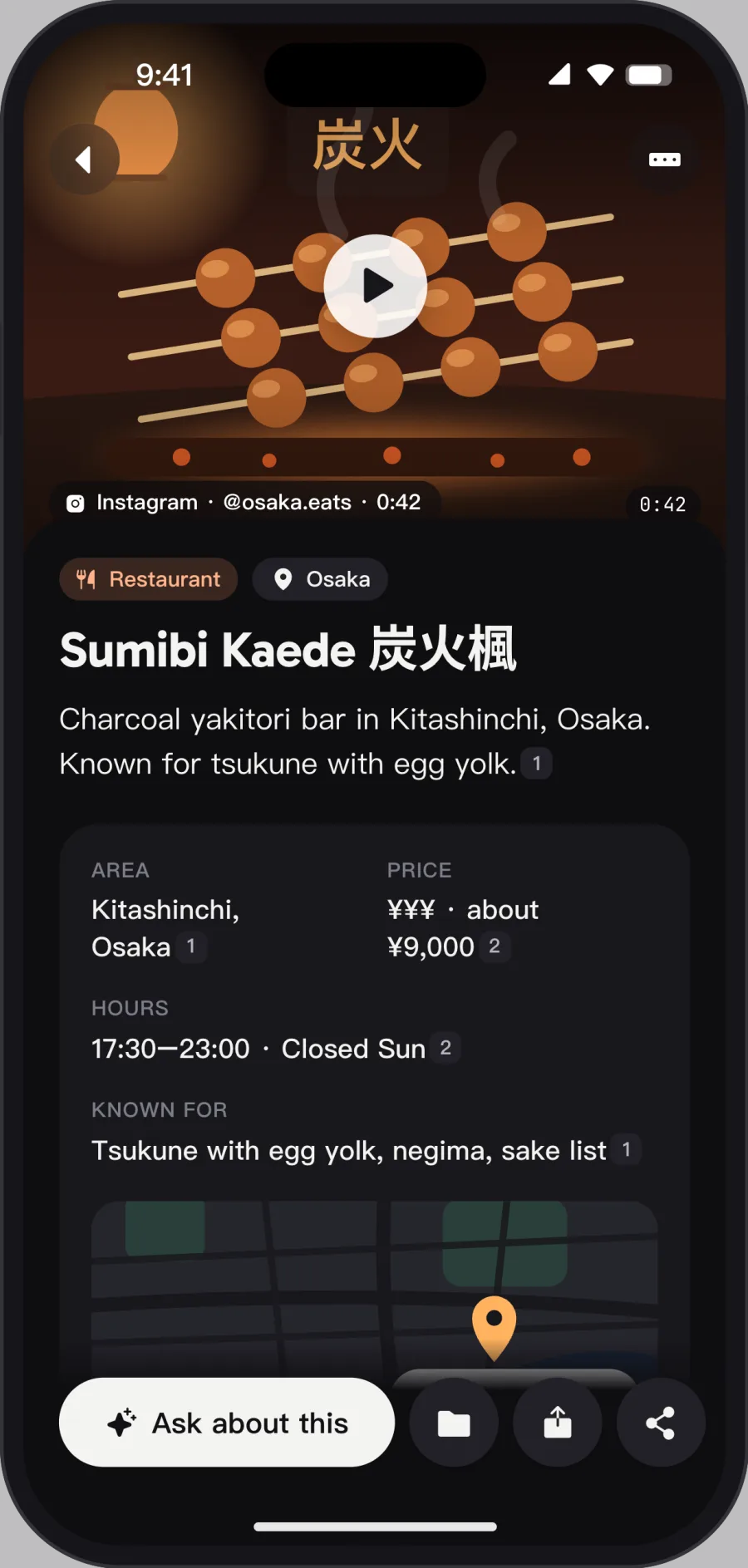
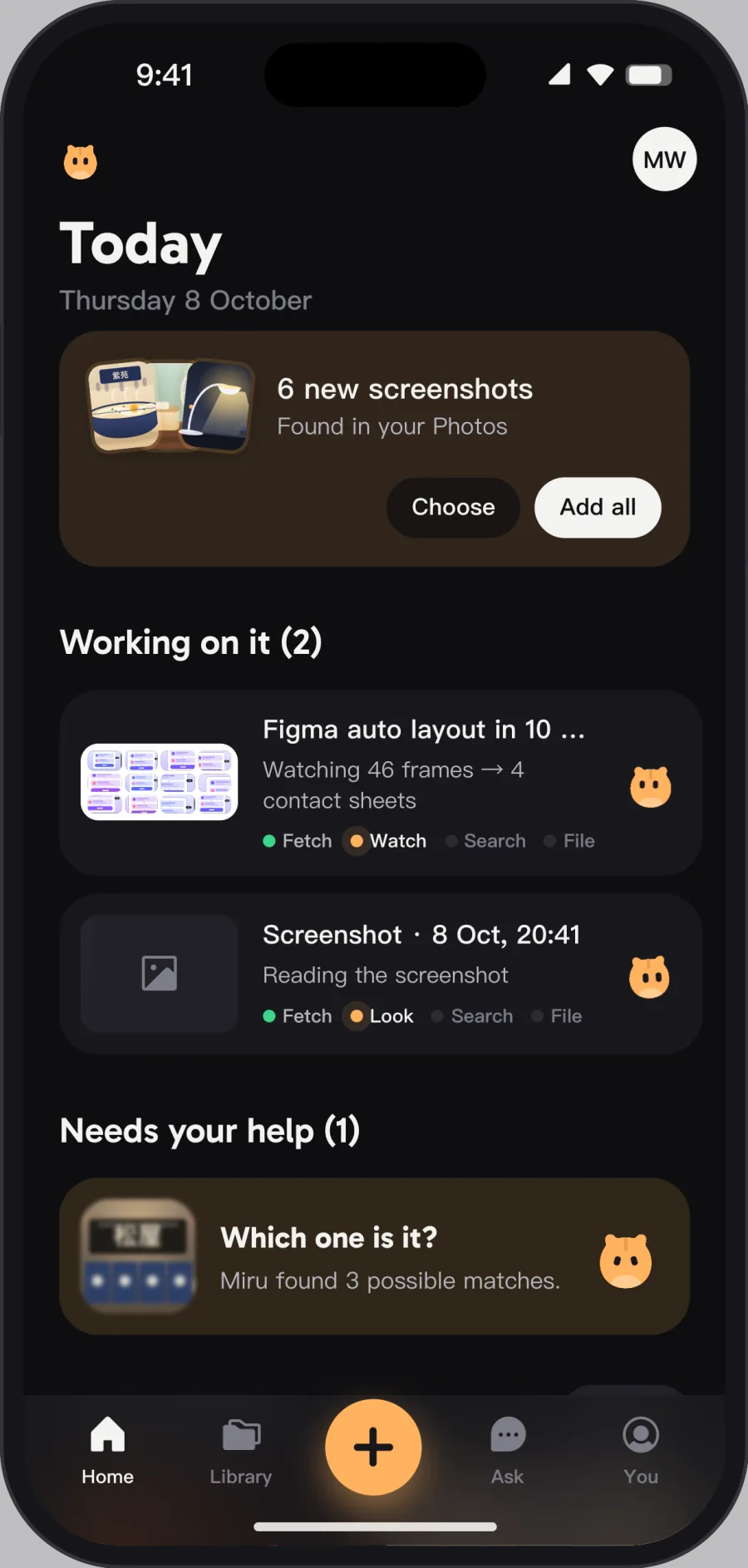
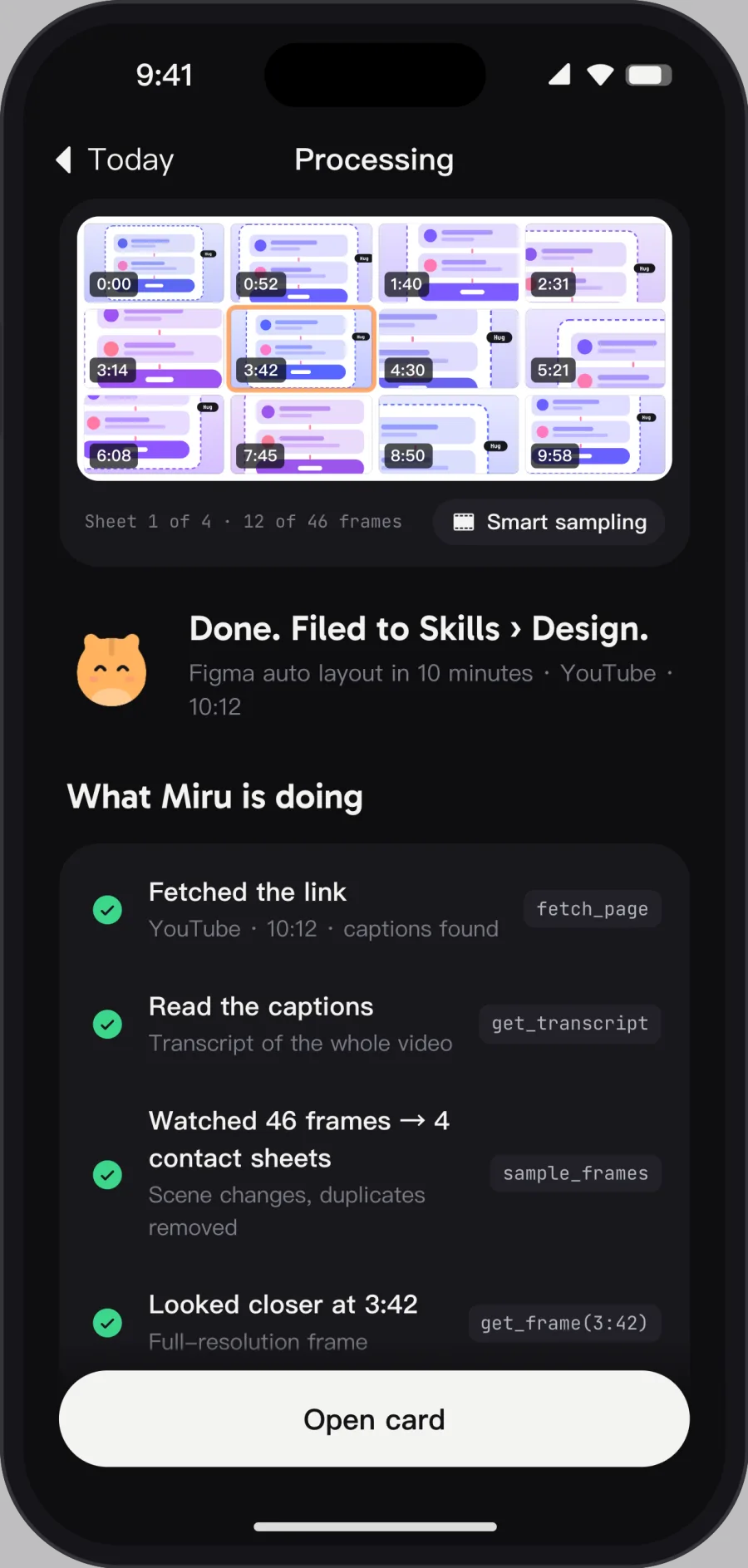
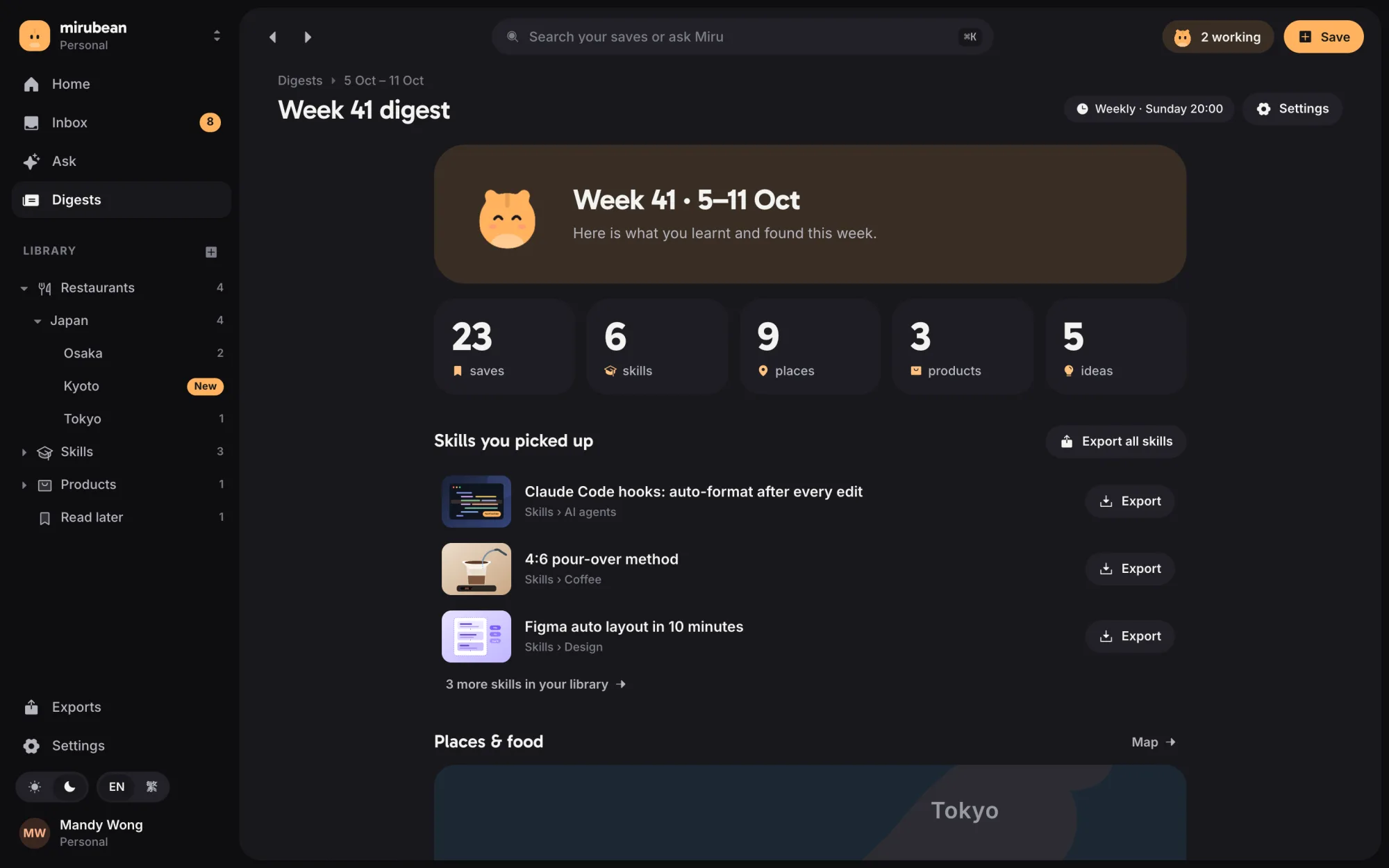
Screens from the mirubean web and iOS prototypes, with sample data.
One screenshot becomes a researched, filed note you can ask about.
You save; Miru does the looking, the research and the filing — and shows its sources.
- Hundreds of screenshots you never open again
- Searching for the same thing twice
- No way to find what you once saw
- Every save identified and researched
- Organised into folders automatically
- Searchable and askable — with sources
Save from anywhere in one tap — screenshots, links, even videos.
Links are parsed on the server; videos are fetched by a media worker and sampled into frames and captions.
Facts link back to where they came from, so you can check them.
New folders are proposed, never forced.
Export to your own AI tools as SKILL.md, markdown or an MCP server.
- A vision agent with tools — zoom, frame sampling, captions and transcripts for videos — rather than plain OCR
- Cited research through our own search and research engine, so every card shows where its facts came from
- Automatic filing into a folder tree; the agent may propose a new folder for you to approve
- Ask across everything you saved, plus a daily or weekly digest of what you learnt
- Export to your own AI tools: a SKILL.md folder, digest markdown or an MCP server
We build the AI layer ourselves, on proven platforms that scale.
Mobile apps with a native share sheet, iOS first.
Developed by P. Chan & Co.