


No more shoebox of receipts at tax time.
For Hong Kong sole proprietors and freelancers who keep their own books
Snap receipts and upload bank statements. SoleHK reads them, keeps business and personal spending apart, and has your BIR60 figures and the accountant’s pack ready all year — you only check what it is unsure of.
A sole proprietor is a business and a person in one bank account, with two different taxes. Receipts sit in a drawer, statements in a mailbox, decisions in someone’s head — and at tax time the owner reconciles spreadsheets by hand.
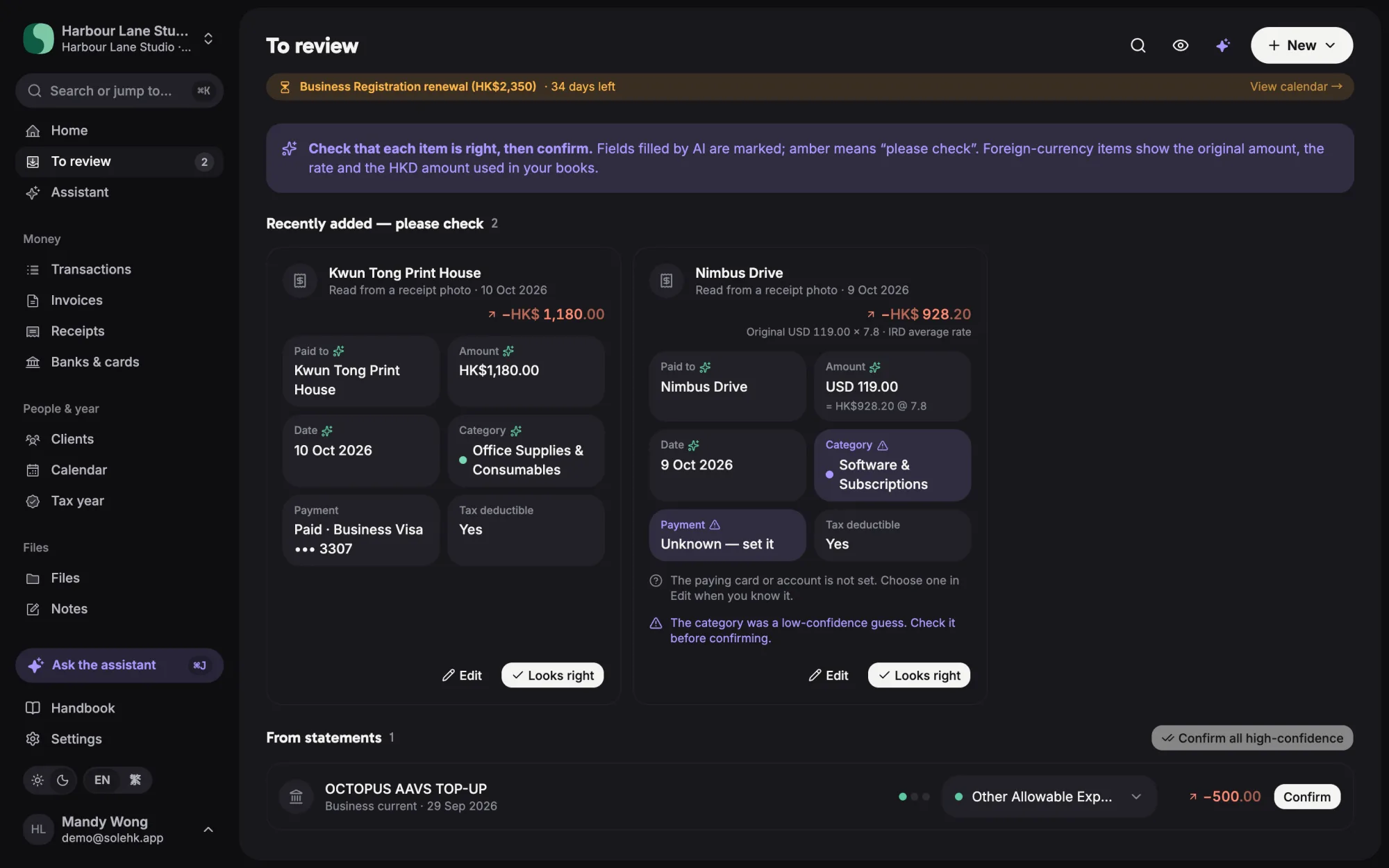
AI reads every document
Snap a receipt or drop a PDF. The AI fills in vendor, amount, date and card, converts foreign currency, and marks in amber anything it is unsure of — nothing reaches the books until the owner says it looks right.
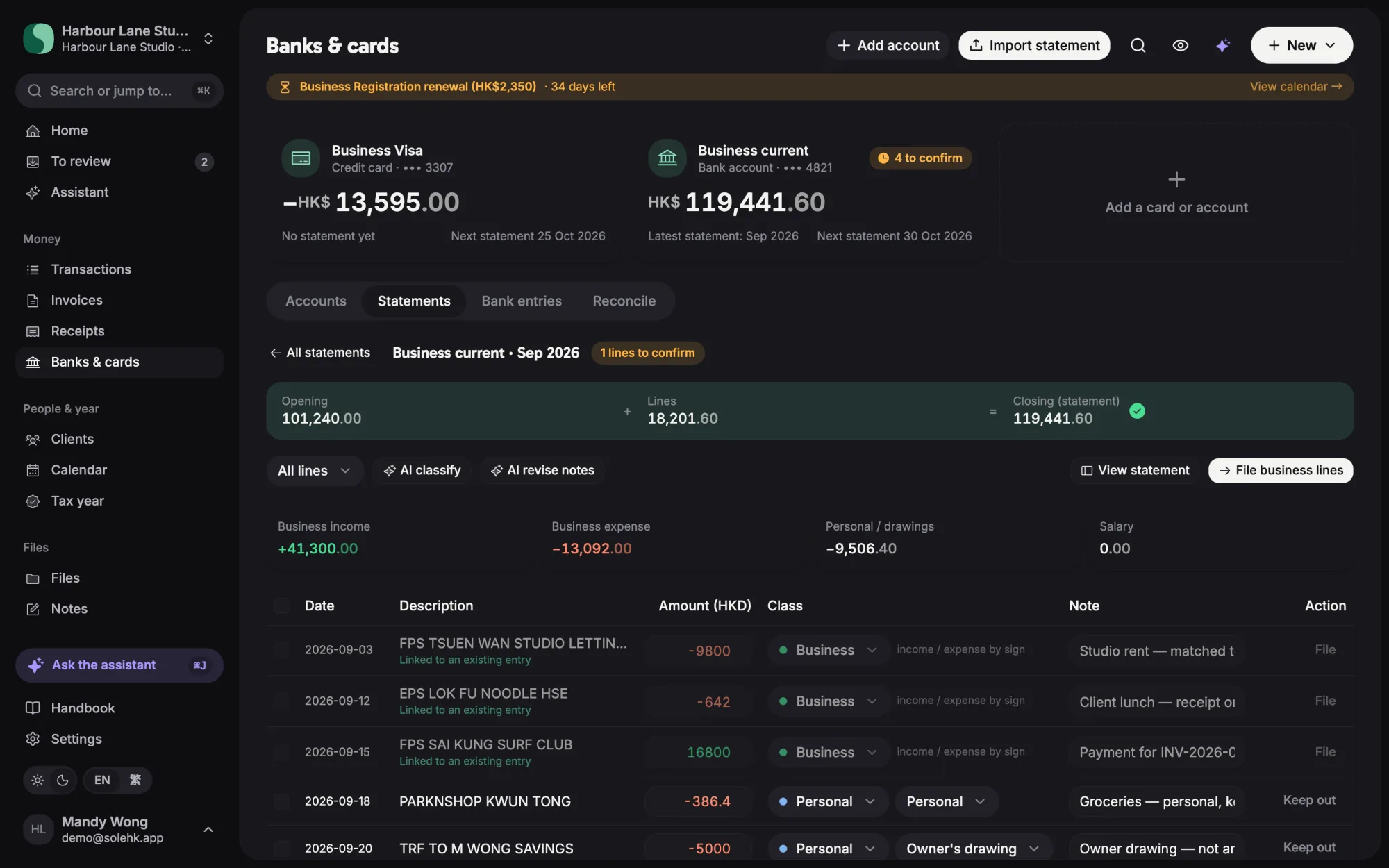
Statements, sorted line by line
Bank and card statements are parsed into lines. Each one is classified — business, personal, owner’s drawing, card payment — linked to the ledger and receipts, and the statement must tie out before it is filed.
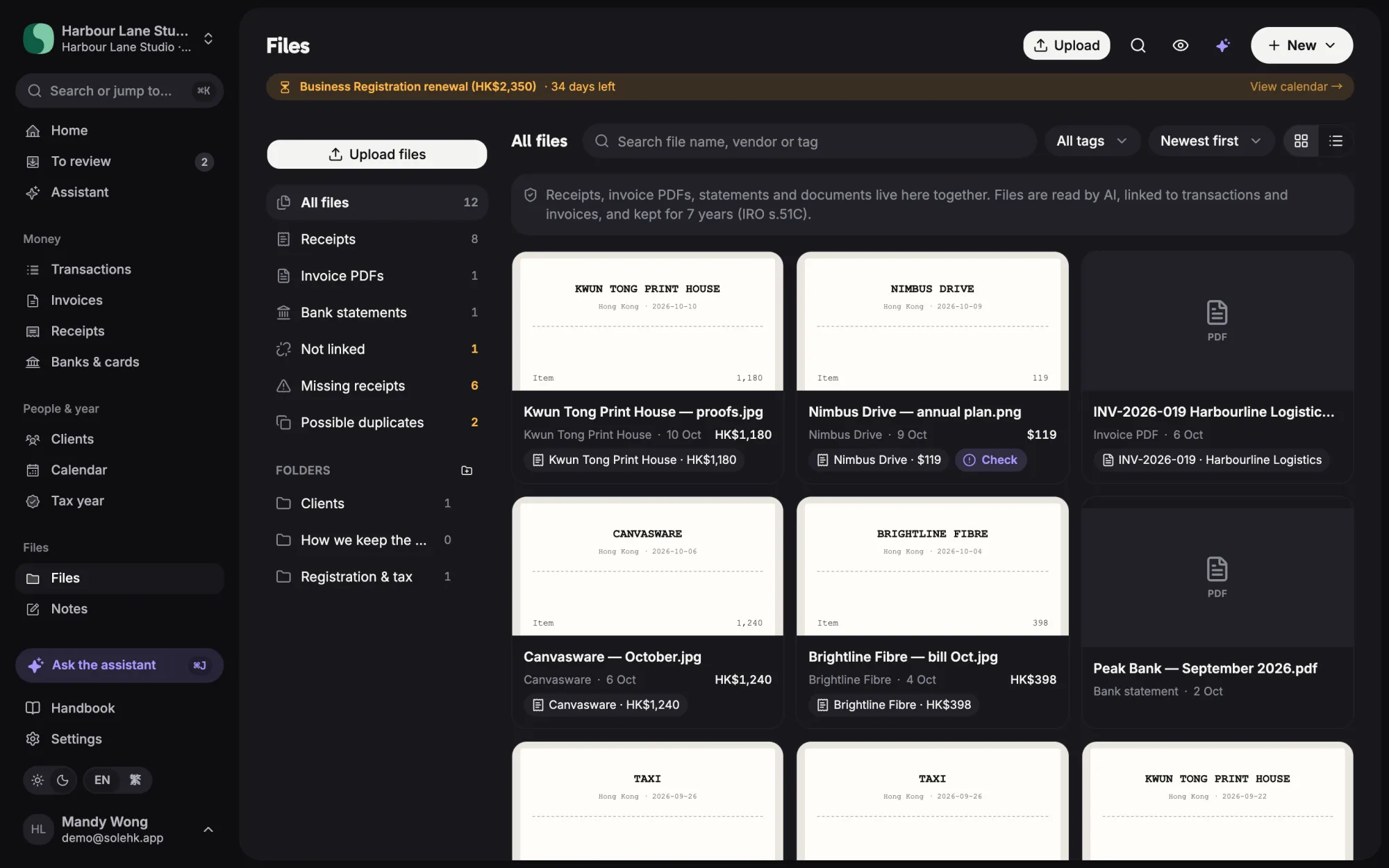
One financial record
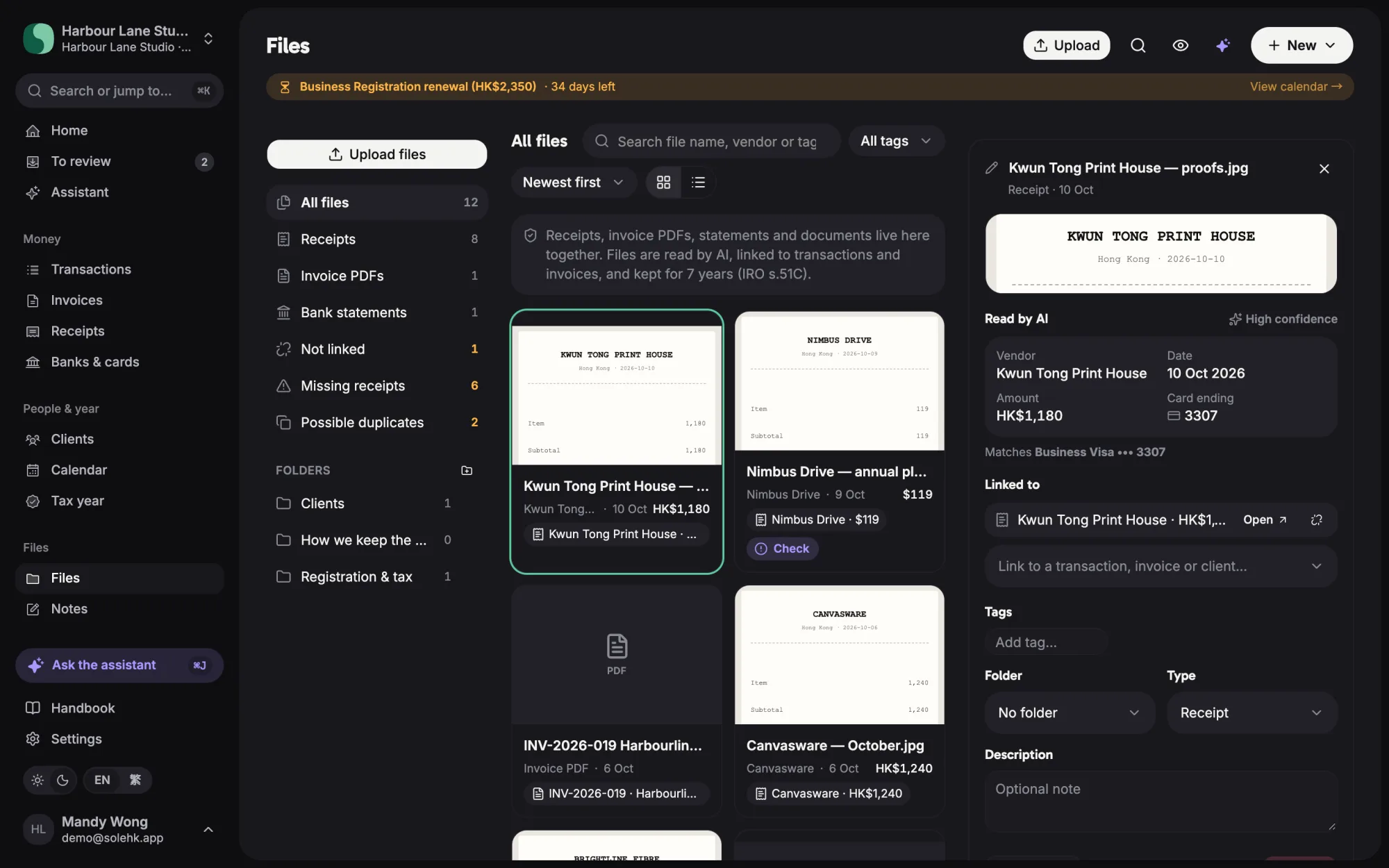
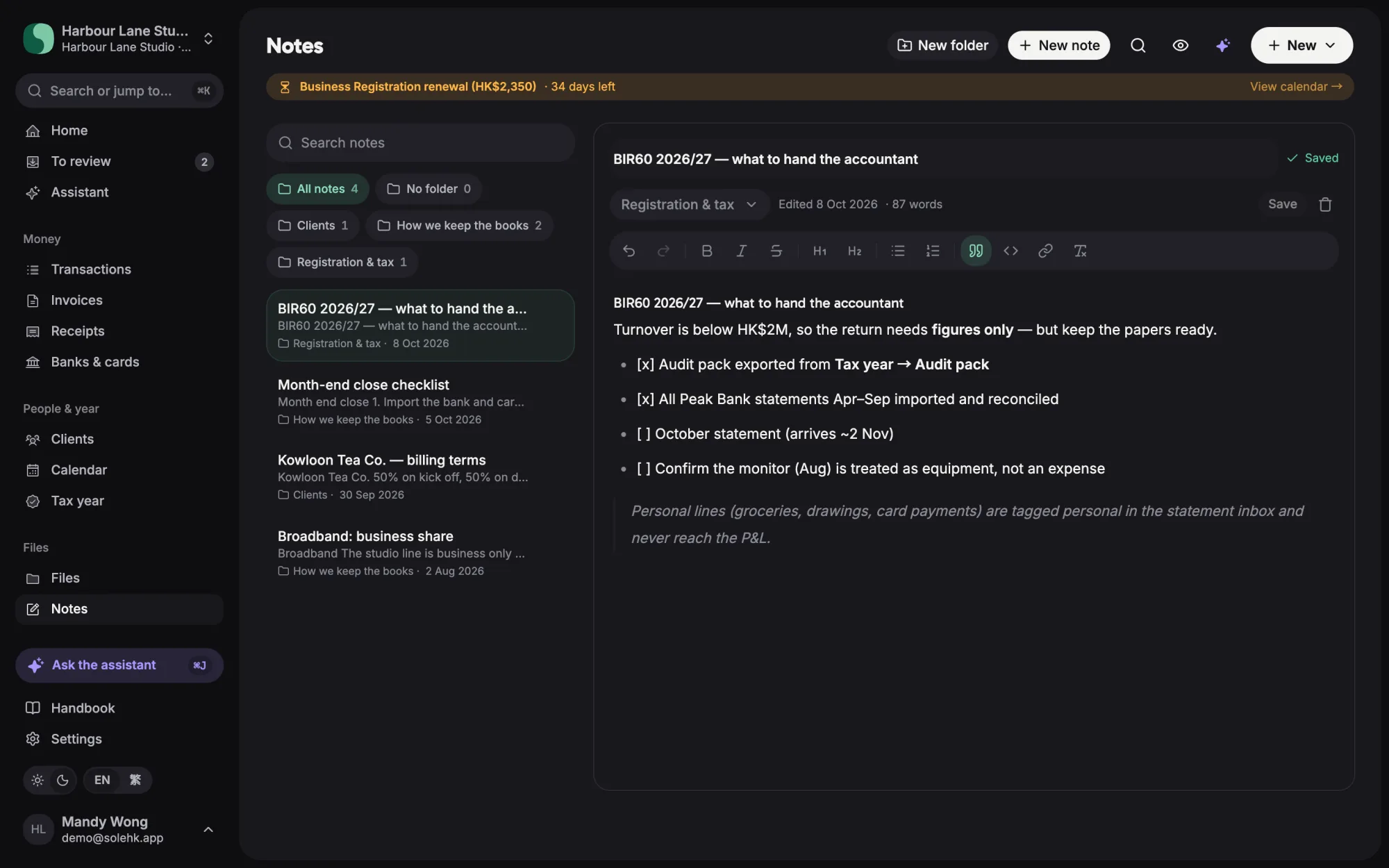
Receipts, invoice PDFs, statements and contracts live in one place, linked to the transactions and clients they belong to. Notes capture the decisions behind the numbers — a knowledge base for the business.
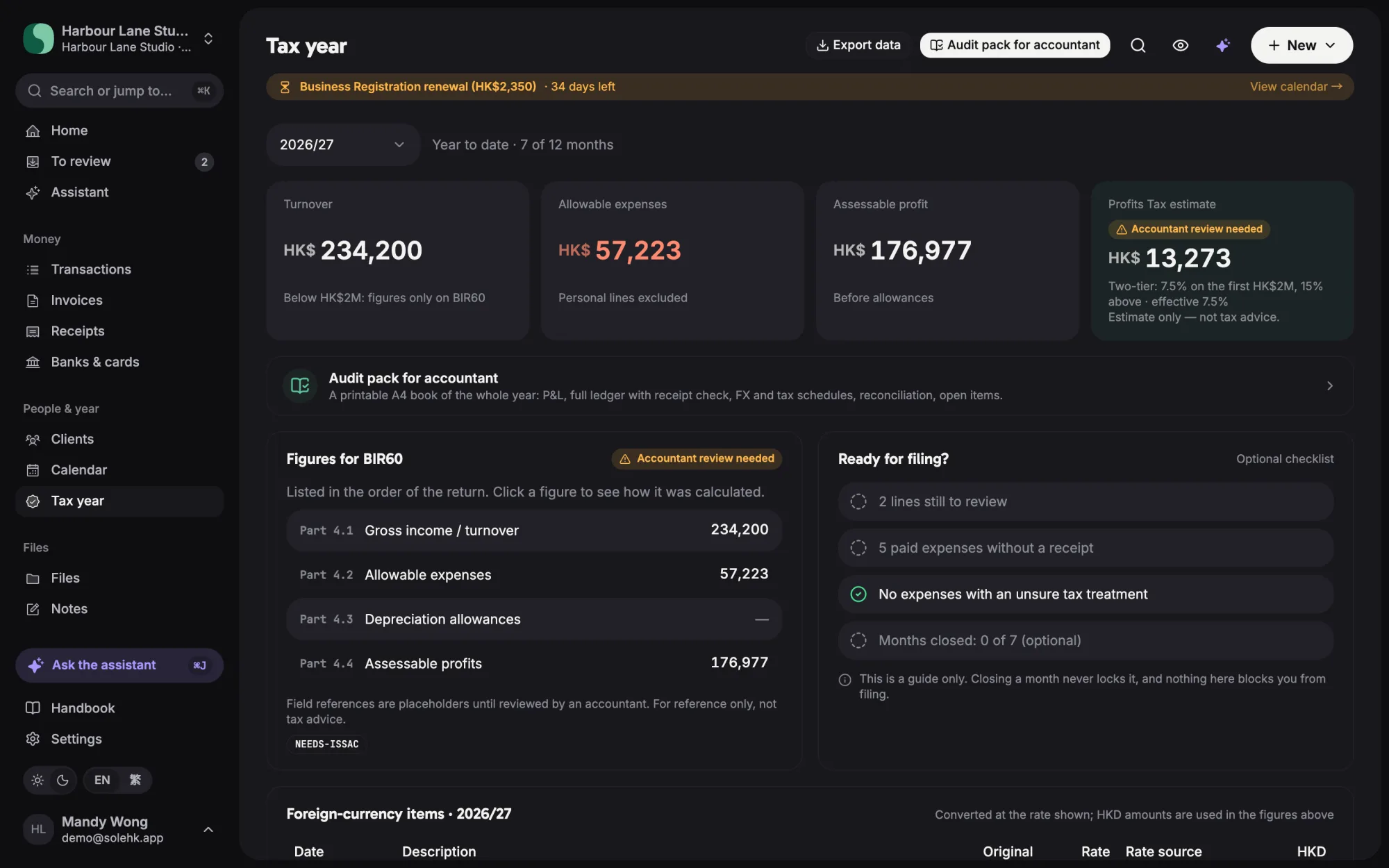
Tax year, ready for the accountant
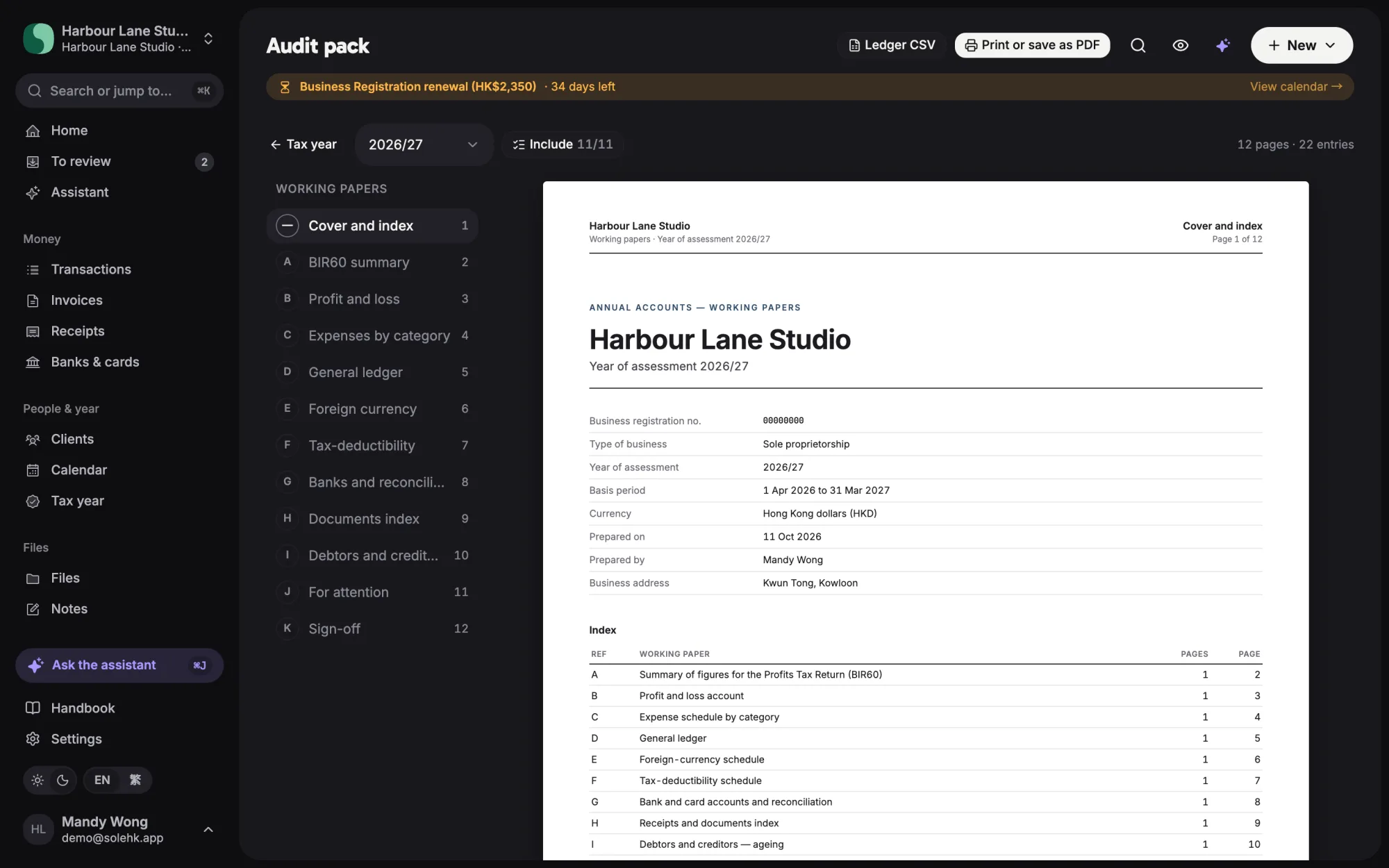
Everything consolidates into the year of assessment: BIR60 figures, a readiness checklist, and a printable audit pack of working papers for the accountant.
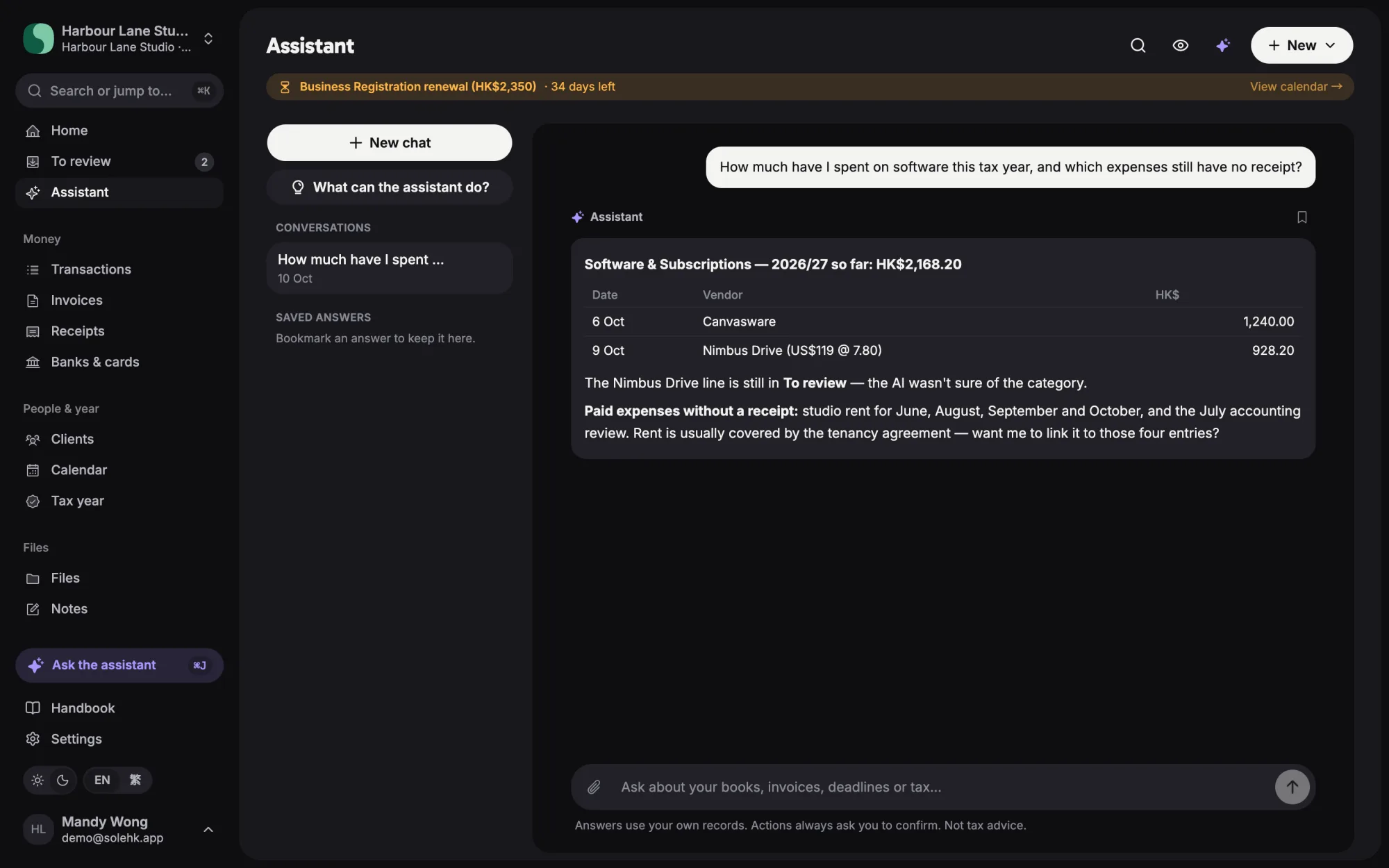
Ask the books
The assistant answers in plain words from the owner’s own records — totals, missing receipts, what is still to review — and asks before it changes anything.
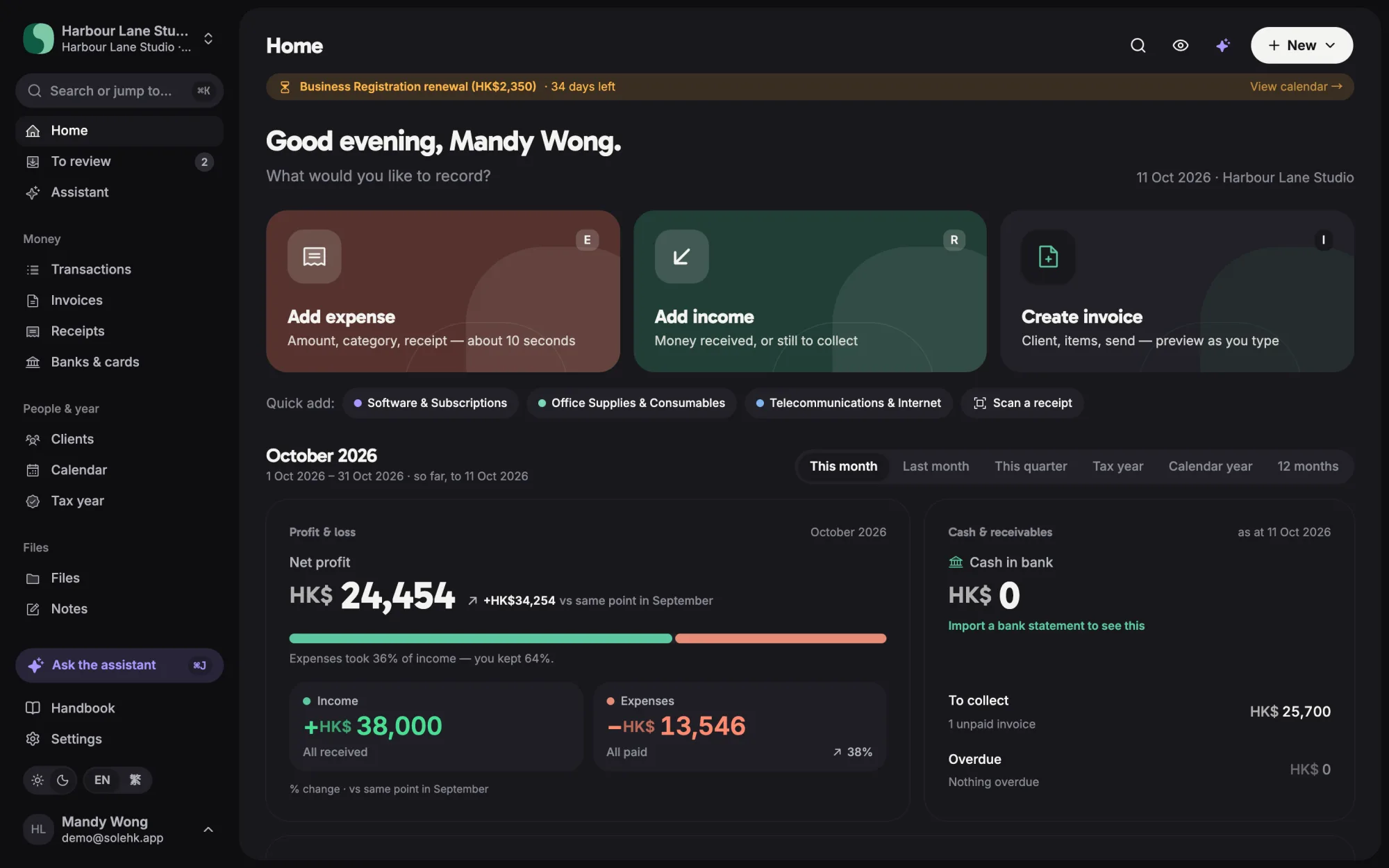
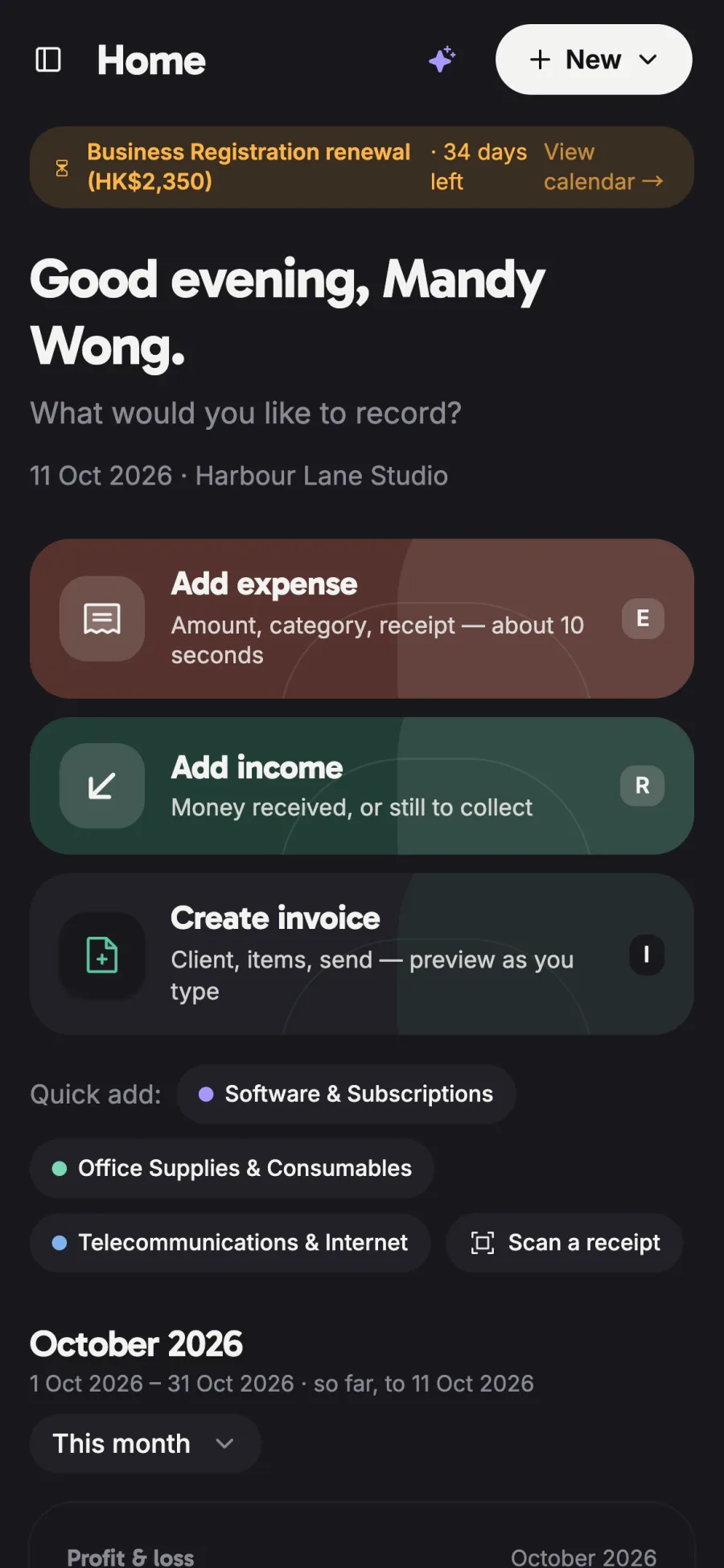
The rebuilt SoleHK app, shown with a fictional demo business — no real accounts, banks or people.
A drawer of receipts and statements becomes one consolidated record — and a tax figure.
The owner stays in control: every field the AI is unsure about is flagged before it reaches the books.
- A box of receipts at year end
- Reconciling bank statements in a spreadsheet
- Deadlines remembered — or missed
- Receipts read as you go
- Bank matched automatically, exceptions flagged
- Tax figures and deadlines in one place
Snap a receipt or drop a PDF — no typing.
Images and PDFs are accepted; the first page of a PDF is rendered in the browser before it is read.
Low-confidence fields are flagged for review before they reach the books.
Every entry keeps its source file; exports support the statutory record period.
Roles and server-side rules keep each business’s data separate.
- AI reads receipts, invoices and other documents — vendor, amount, date, card — and flags any field it is unsure of for a quick check before it reaches the books
- Bank and card statements parsed line by line; every line is classified as business, personal, owner’s drawing or card payment, learning from the owner’s own vendor rules
- One file system for receipts, invoice PDFs, statements and contracts, linked to transactions, invoices and clients — with missing receipts and duplicates flagged
- A financial knowledge base: notes on clients, processes and tax decisions sit beside the records they explain
- A tax-year view with the BIR60 figures and a readiness checklist, plus a printable audit pack of working papers for the accountant
- An assistant that answers from the owner’s own records and asks before it changes anything
- English and Traditional Chinese throughout, including invoices; workspaces with roles keep every business’s data separate
We build the AI layer ourselves, on proven platforms that scale.
A salaries-tax mode for owners who also earn a salary.
Developed by P. Chan & Co.